
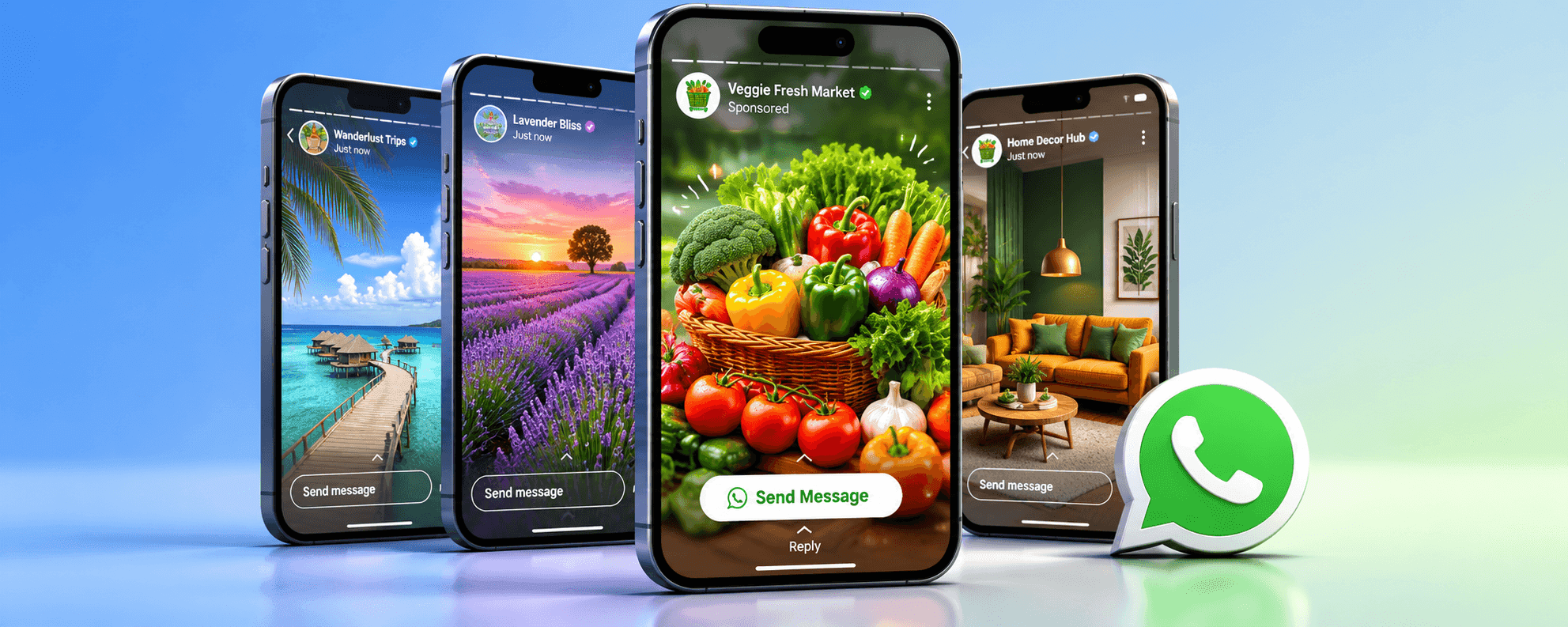
What are WhatsApp Ads?
WhatsApp Ads are full-screen, vertical ads that appear inside the Status section of WhatsApp. Unlike traditional ads that redirect users to a website, these ads encourage viewers to start a direct conversation with your business. They are created in Meta Ads Manager using the Messages objective, but the key difference is selecting WhatsApp Status as the placement, so the ad appears inside WhatsApp itself.
When users tap on your Status ad, they see a clear call-to-action, such as Send Message. With one click, they are taken straight to your WhatsApp chat, allowing instant communication, faster responses, and higher conversion chances.
The types of campaigns are perfect for:
- Service-based businesses
- Local stores and clinics
- Coaching institutes and training centres
- Real estate agents
- E-commerce stores
- High ticket sales
Requirements Before Running WhatsApp Ads
Before launching your first WhatsApp Status ad campaign through Meta ad, you will need to ensure that you have each of these WhatsApp marketing basic building blocks in place. We are committed to your success and will assist you in checking every box on your list while adhering to Meta’s guidelines.
1. WhatsApp Business account
You cannot run ads with a personal number. At Progbiz we’ll help you set up or migrate to a WhatsApp Business account, whether through the app or API. WA‑CRM emphasises that a business account helps you appear professional and build trust
2. Set up a Facebook business page
To set up ads for WhatsApp, you need a phone number attached to a Facebook page. Progbiz ensures your WhatsApp Business number is attached to your Facebook page and you have admin access to it. We will walk you through the Settings → WhatsApp section of Meta Business Suite and verify your number.
3. Business Manager or Ads Manager account
For running ads on a computer, you will need access to Meta Ads Manager. We assist you in getting ad account permission, ensuring billing information, and setting up your business correctly. If you’re running ads from your phone only, the WhatsApp Business app will manage this for you (some regions allow ad creation without a Facebook page).
4. Product or service catalog
If you want to show products, please consider uploading online catalogs. You can do that for Facebook or WhatsApp. We can import your product catalog, and we can guarantee that you have an approved product so you can display what you’re selling
5. Payment method and budget
Add a valid payment option to Ads Manager and decide on a daily or lifetime budget. It assists with adding and configuring payment methods so your campaigns can launch without billing issues
6. Instagram account link (optional)
Linking your Instagram profile to your Facebook page can increase your reach, as it gives you access to cross-platform content campaigns. We recommends connecting your Instagram profile to maximise reach
Step-by-Step: How To Run WhatsApp Ads
The following detailed steps guide you through creating a WhatsApp Status ad campaign using Meta Ads Manager.
Step 1: Open Ads Manager
- Go To Meta Ads Manager
- Log in with your Facebook business account
- Access your dashboard
- Confirm your ad account is active
- Check that your Facebook page is connected
- Verify payment method is added
- Make sure business manager access is enabled
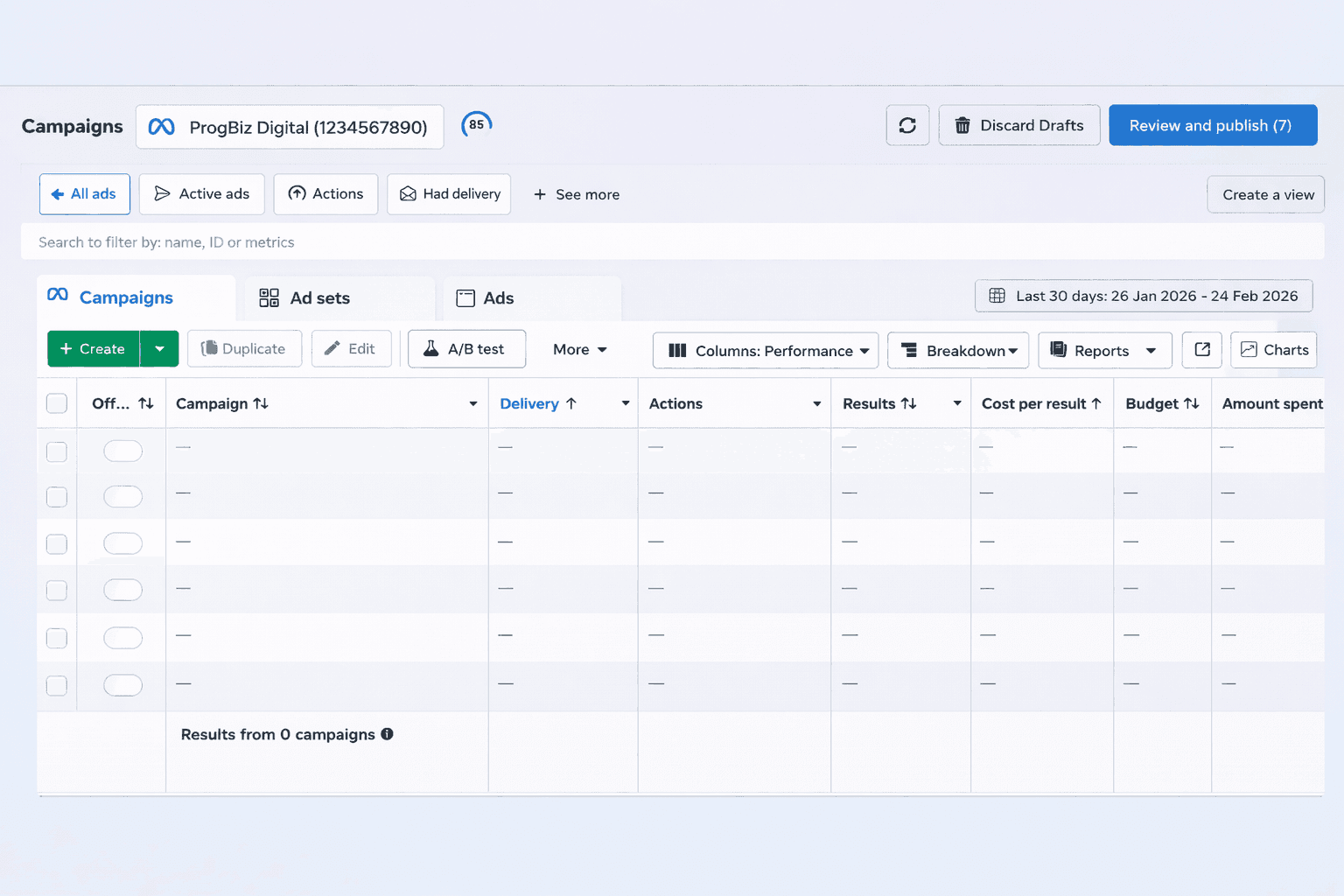
Step - 1
Step 2: Click 'Create Campaign'
- Start a new campaign
- Click the 'create' button
- Choose manual setup
- Move to objective selection

Step - 2
Step 3: Choose campaign objective
- Select the correct goal
- Choose messages
- This optimises for conversions
- Avoid traffic and engagement objectives
- Click 'continue'
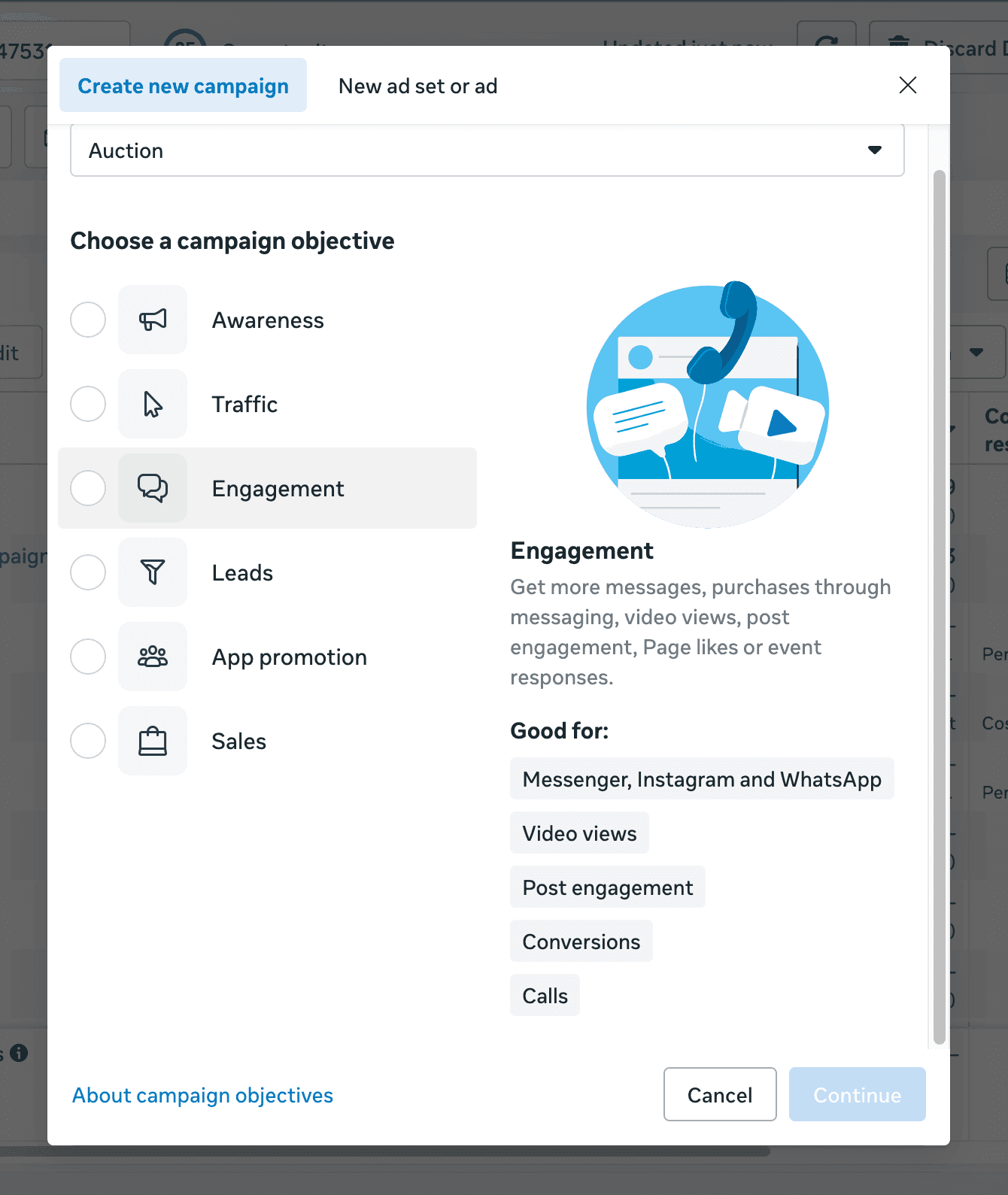
Step 3
Step 4: Select WhatsApp as the Message Destination
- Choose where messages should go
- Select WhatsApp
- Ensure WhatsApp is selected as your only messaging platform before continuing.
- Confirm your WhatsApp business account is visible
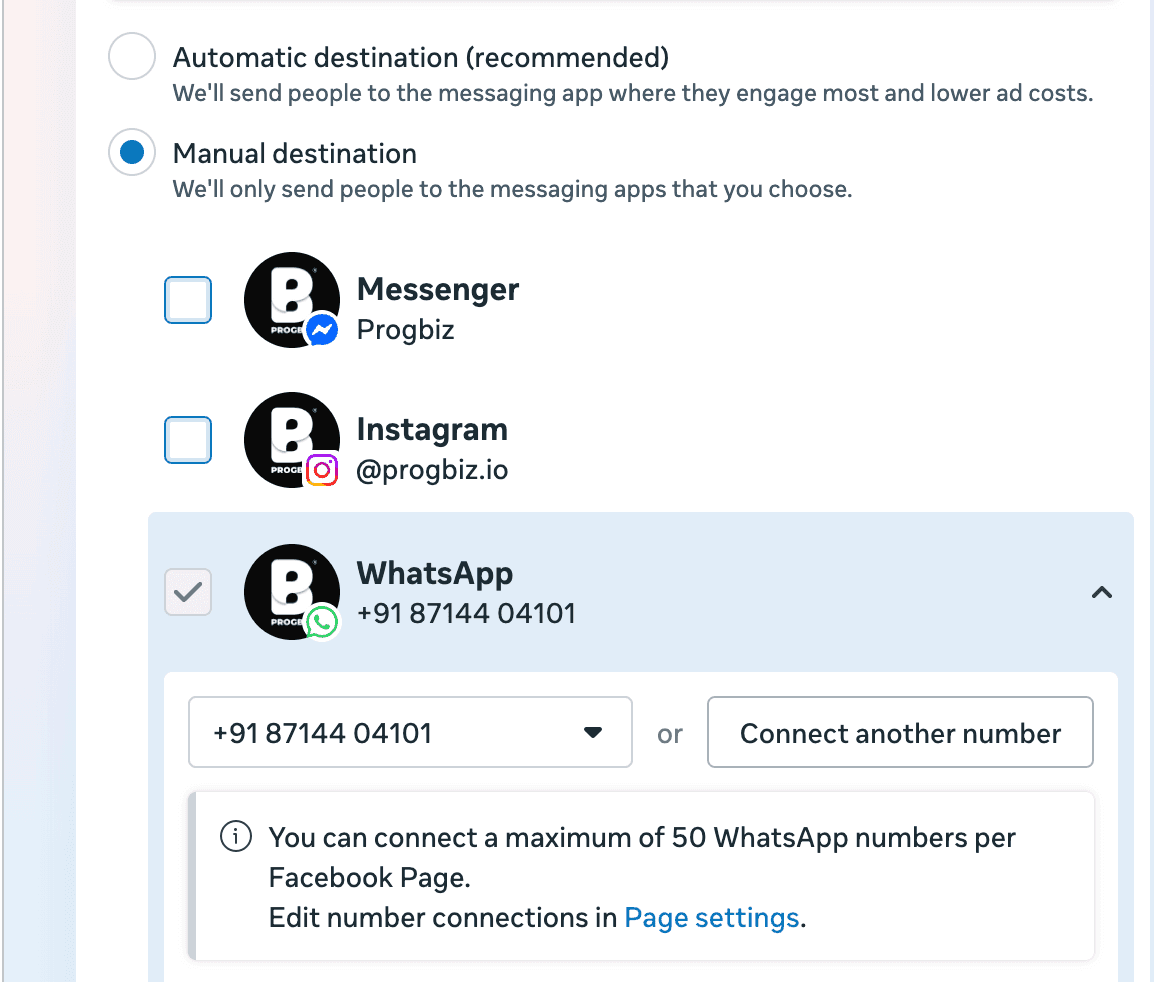
Step - 4
Step 5: Connect WhatsApp Number
- If not already connected
- Click connect
- Enter your WhatsApp business number
- Verify via OTP
- Double-check correction number is linked
- Save connection
Step 6: Define Audience Targeting
- Target the right people
- Select location (city, region, or country)
- Choose age range
- Select gender (if needed)
- Add interest-based targeting
- Add behaviours filters
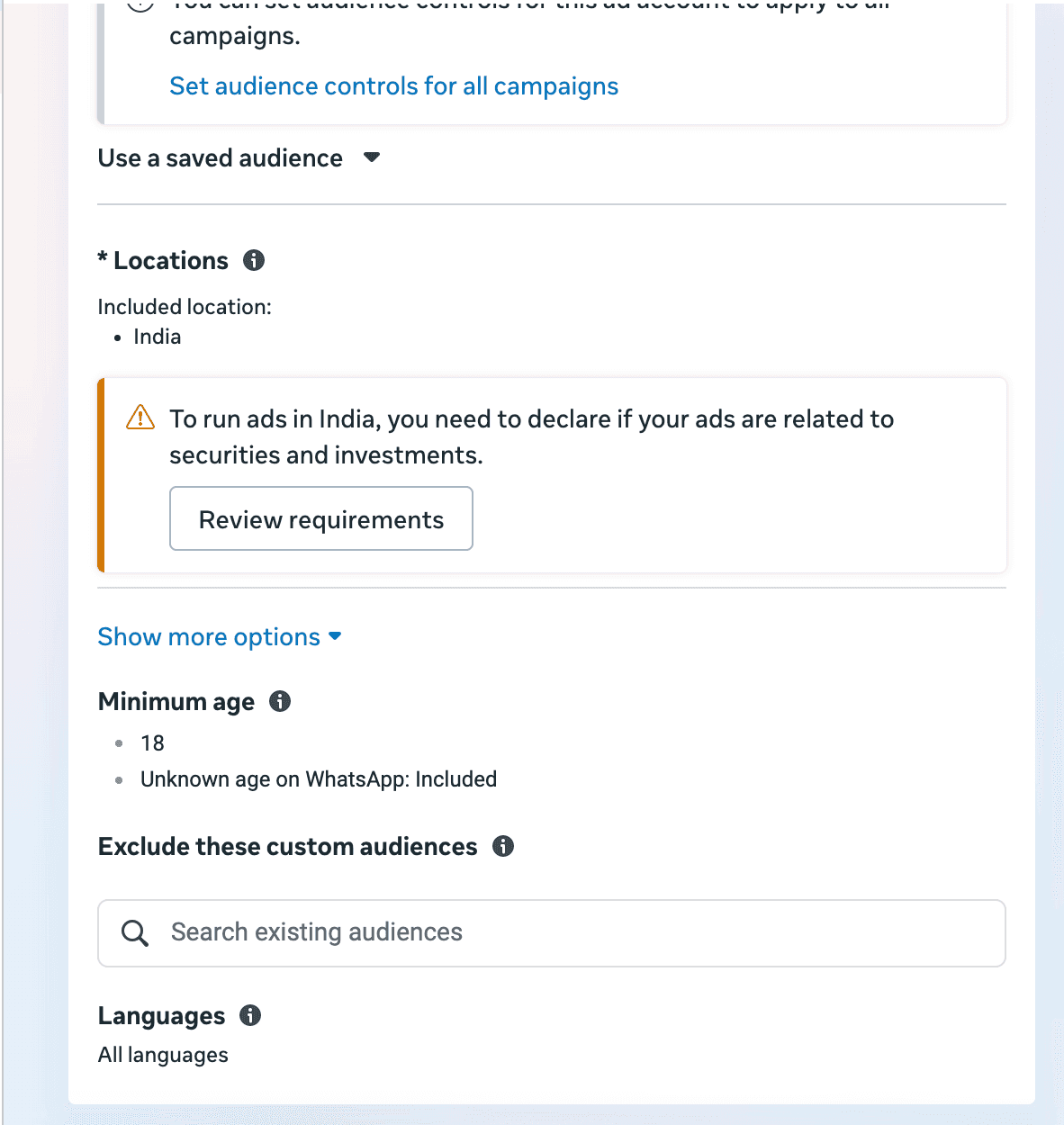
Step - 6
Step 7: Set Budget & Schedule
- Choose a daily or a lifetime budget
- Start with a small test budget
- Set campaign start date
- End date (optional)
- Let it run for at least 5 days
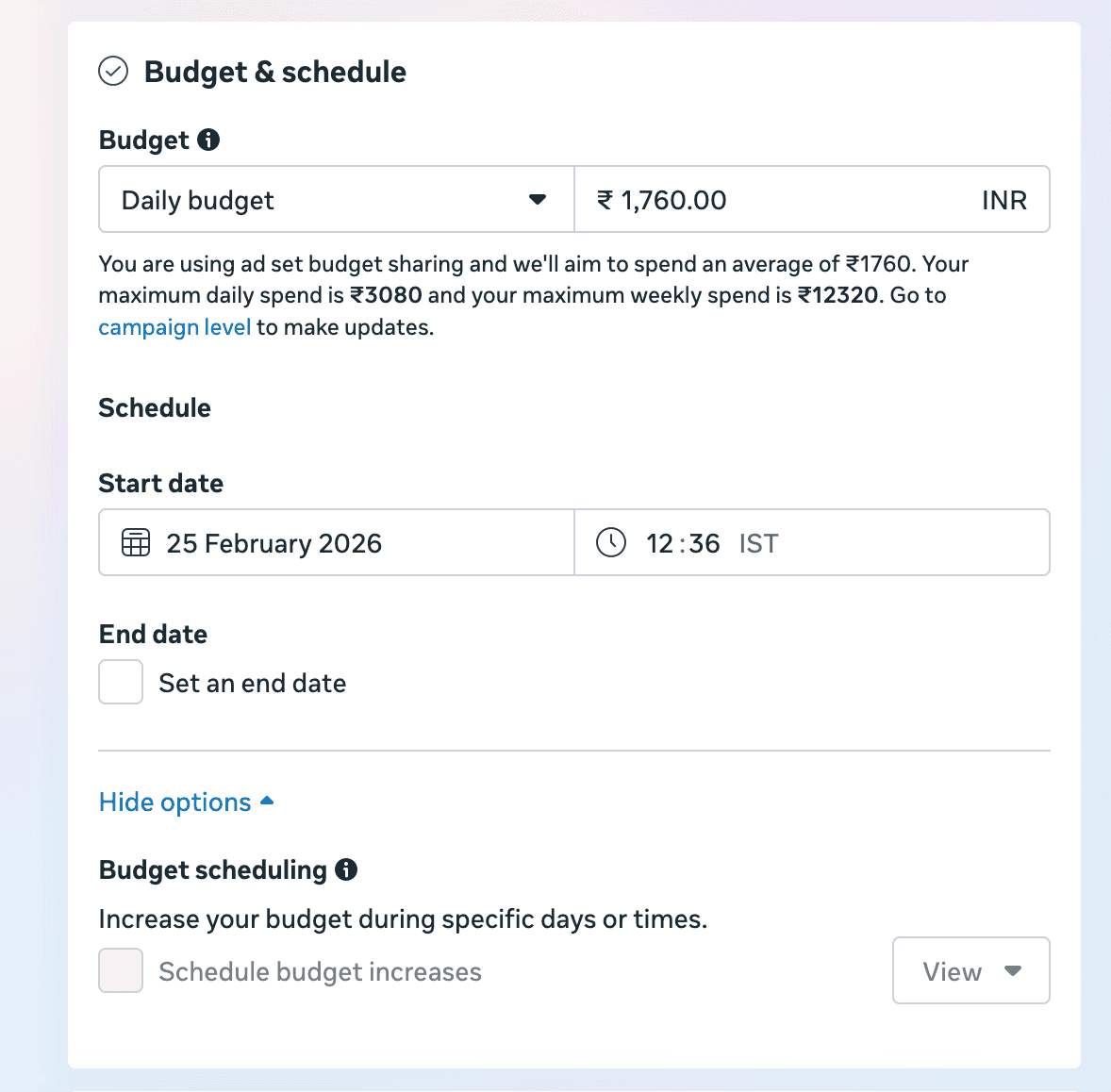
Step 7
Step 8: Select WhatsApp Status Placement
- Go to Placements
- Select manual placements
- Select WhatsApp status
- Instagram stories (optional)
- Facebook stories (optional)
Step 8
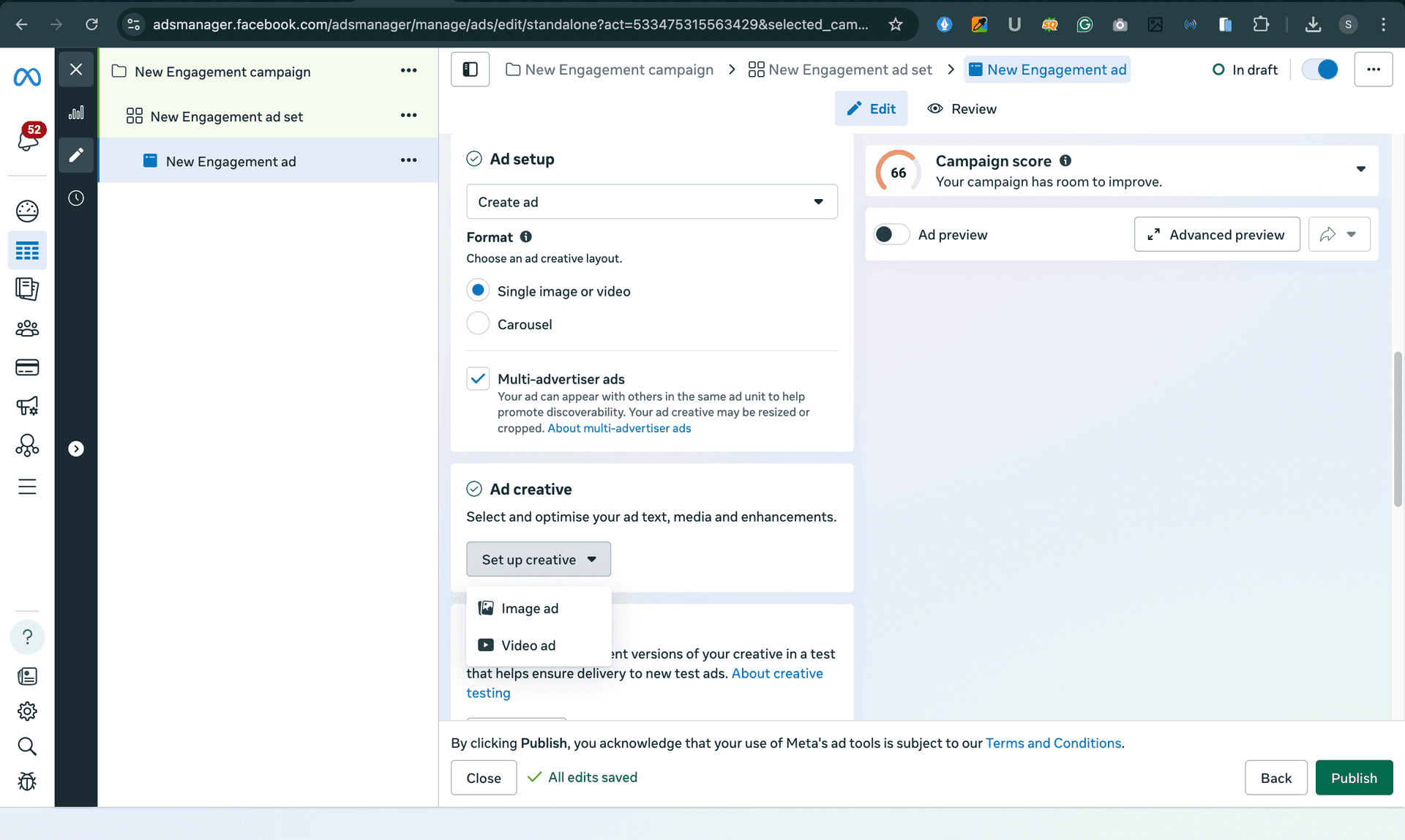
Step 9: Upload your ad creative
- Go to the ad level
- Upload your image or video (1080*1920)
- Add text and a CTA.
- Publish ad
Optimization Tips for Better WhatsApp Ad Performance
Running the campaign is just the beginning. The actual expansion begins when you begin to optimize. Even small changes can help lower your cost per conversation and boost your conversion rate. Here’s what really works.
1. Use manual placements
Avoid using automatic placements if your target is mainly lead-based. In Meta Ads Manager, select Manual Placements and specifically choose WhatsApp Status. This will ensure that your ad spend is targeted at high-intent placements rather than being spread across a wider area that is less relevant.
2. Use 1080 × 1920 Vertical Creative
WhatsApp Status is a vertical, full-screen media format. Create your creatives in 1080 × 1920 resolution to ensure a clean and professional look. Incorrect resolution can affect the look and reduce engagement rates.
3. Use a strong CTA
Your ad needs to direct the user. Instead of using generic messages, opt for action-oriented CTAs such as
- “Book Your Free Demo”
- “Get Price Details Now”
- “Send Message to Claim Offer”
A strong call to action can increase clicks and conversion rates within WhatsApp.
4. Set up instant reply automation
Speed builds trust. Configure greeting messages or instant auto-replies in your WhatsApp Business account. When a user clicks your ad, they should receive an immediate response. Quick replies reduce drop-offs and improve customer confidence.
5. Test audience segmentation
Avoid relying on a single audience. In Meta Ads Manager, test location, interest-based, custom, and lookalike audiences to find what works best. Continuous testing helps you generate better-quality conversations on WhatsApp and improve campaign results.
Conclusion
The most effective method for transforming audience interest into actual business relationships is to conduct WhatsApp campaigns through Meta. Running ads specifically inside WhatsApp Status allows businesses to meet users directly within the app they use daily, making conversations more natural and immediate.
Chat-based advertising becomes an effective lead generation system when businesses use precise audience targeting and impactful advertising material and use a conversational writing style and establish fast response mechanisms. The messaging intent and customer journey path and ongoing advertisement testing for performance gains demand your special focus.