
Instant Tasks
Raise a quick task in seconds when something needs doing now.
Progbiz Task Management
Know who's doing what, where, and whether it got done.
Tired of assigning work on WhatsApp and never knowing if it got done? Progbiz Task Management gives office and field teams one place for every task, with each field visit stamped with GPS location and time. Tasks connect to leads, complaints, and projects in Progbiz ERP, built by Progbiz Private Limited.
Used by teams that work in
the office and in the field










The Basics
Task management software is a system that records every piece of work your team has to do, who owns it, and when it is due. It sends reminders, tracks progress, and shows managers what is done and what is late. It replaces WhatsApp messages, phone calls, and notebooks with one record everyone can check.
Your team needs a task management tool when work is assigned in many places, and nobody can say what is done.
Task Sources
Work reaches your team in different ways. Progbiz Task Management captures all of it in one task list.
Raise a quick task in seconds when something needs doing now.
Set a start date and time, with an optional end time and a hard deadline.
Capture a task now and date it later. It waits in its own queue until you do.
Repeat a task daily, weekly, monthly, or yearly, within a date range and a daily time window.
Define a standard checklist once and assign it again in two clicks.
CRM leads, projects, and complaints create tasks automatically, linked to where they came from.
Features
Progbiz Task Management runs every kind of work through one lifecycle, from sales follow-ups to service visits.
Sales follow-ups, service visits, project milestones, complaints, and internal to-dos all run through the same task list.
Assign a job to a team. The first available member claims it, a lead can delegate it, and it can go back to the pool.
A task can wait for another one. When the first task finishes, the next one unlocks automatically.
Start, hold, resume, and end are all timed, so durations are measured, not guessed. Late tasks are flagged as delayed.
Add checklists, notes, photos, documents, audio, video, a visit address, and links to the customer, lead, or quotation.
Staff get in-app and mobile alerts for new tasks, hand-offs, due dates, and overdue work, at their branch's local time.
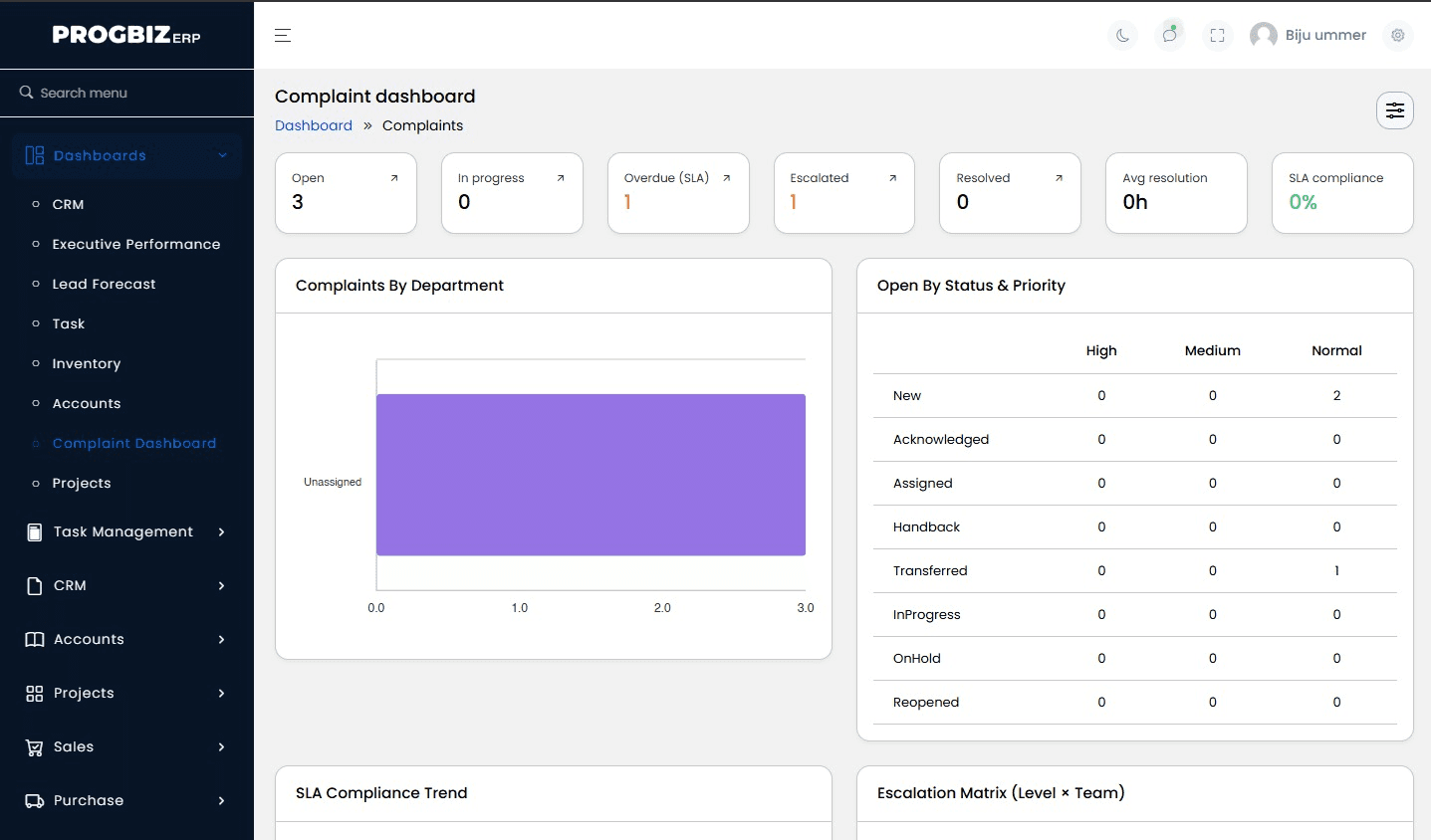
Complaints are routed to the right team, timed against SLA minutes, and escalated automatically if they run late.
Start repeat projects from a ready template. The Solar On-Grid blueprint, for example, comes with 7 phases and 31 tasks.
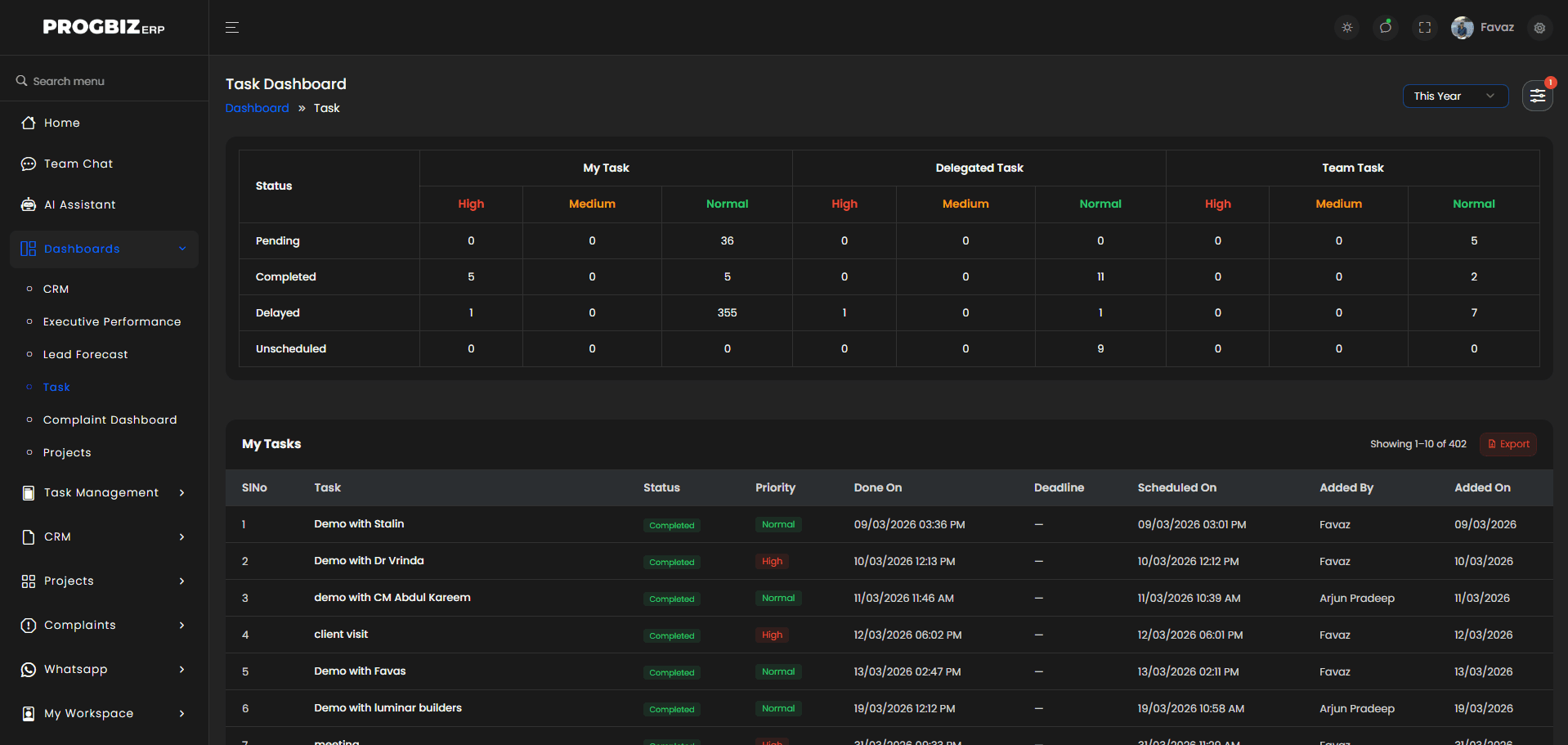
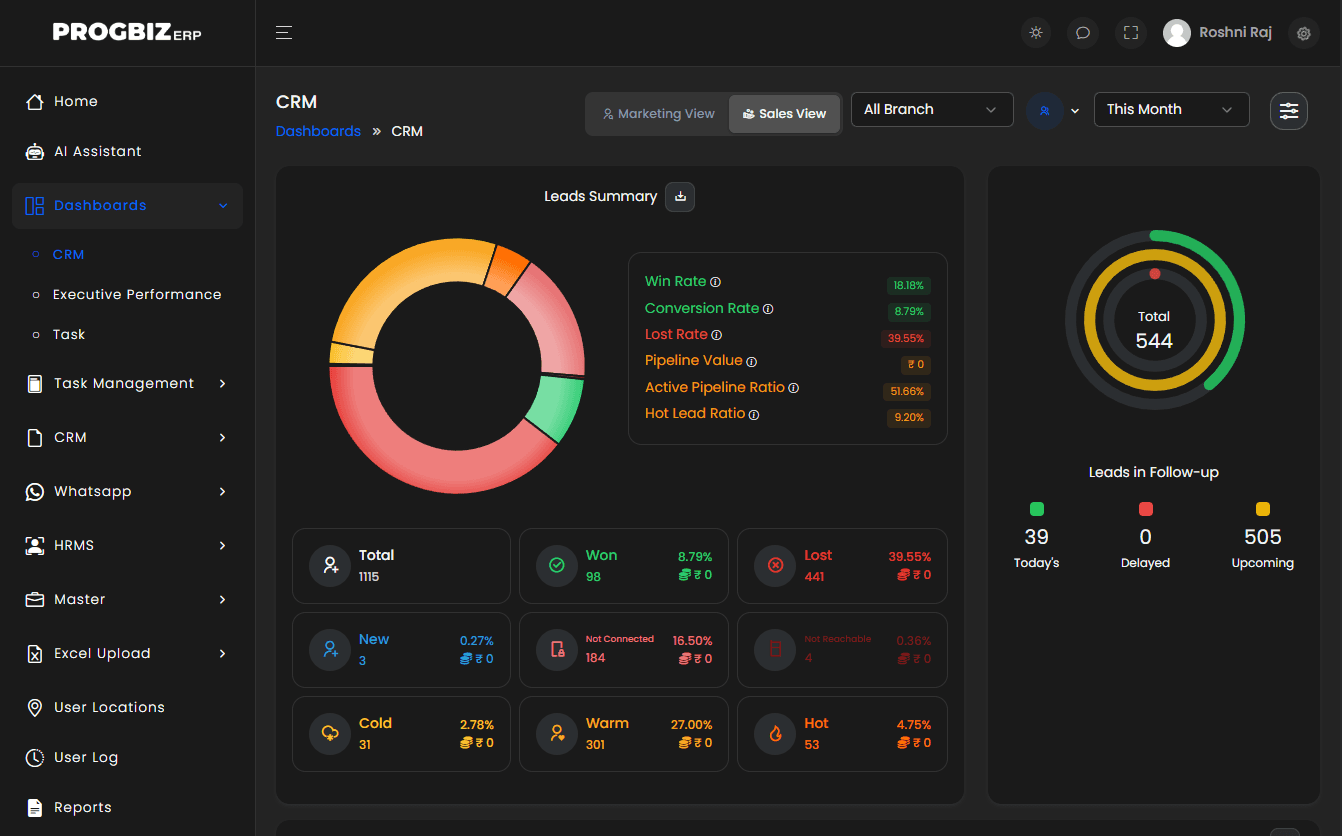
See tasks by status and priority across your own, delegated, and team work, and click any number to open the list.
Field and Service Teams
Progbiz Task Management is built for teams that work outside the office, where proof of work matters most. Every visit, repair, and installation leaves a record you can check, bill from, or use to settle a dispute.
Starting and ending a task on the mobile app stamps the GPS location and address at both ends.
Maintenance contracts create recurring visits automatically, with overdue visits and renewals tracked.
Each complaint type has its own response and resolution time. If a complaint moves to another team, its SLA clock resets for that team.
Field staff check in with GPS through Progbiz HRMS, and visit reports add a site photo.
Managers with location access see field staff on a live map, refreshed about every five minutes.
One System
Tasks work better inside an ERP because each task links to the lead, quotation, or customer it belongs to, so there is no separate app to keep in sync.
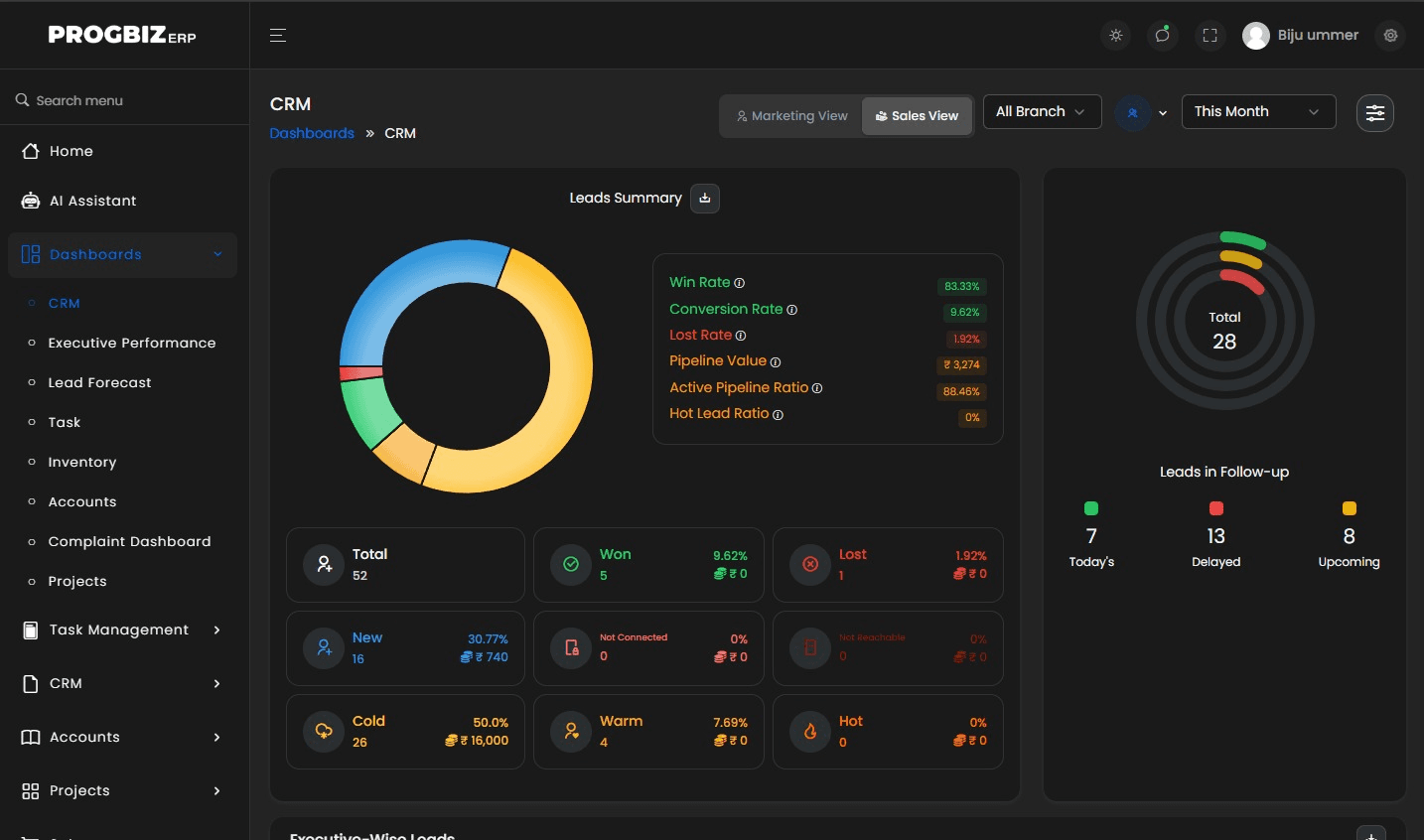
When task tools stand alone, someone copies a new lead or complaint into the task app by hand. In Progbiz ERP, a new lead or complaint creates its own task, and the task dashboard shows who actually came in that day.
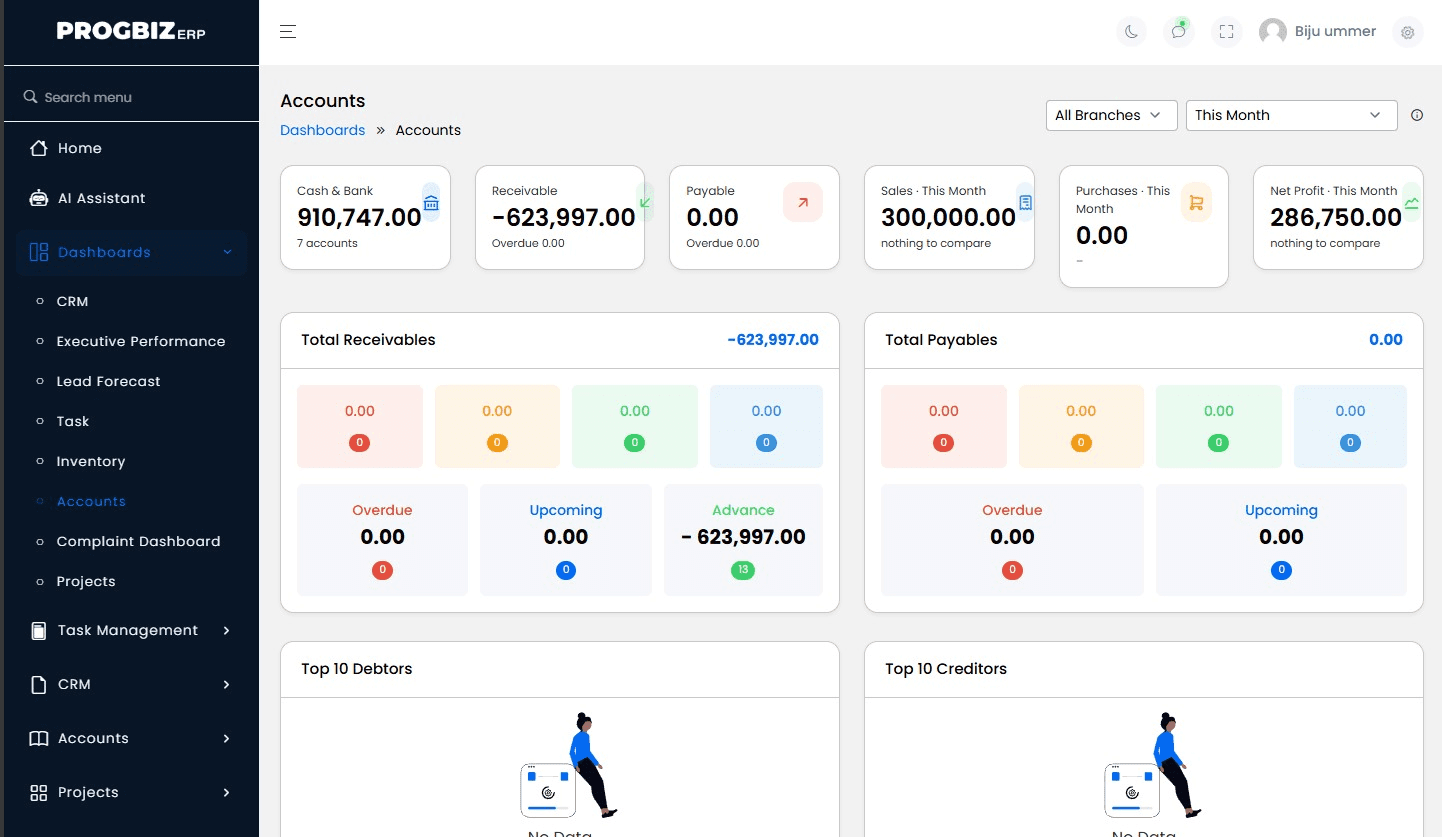
Progbiz Task Management is one module of Progbiz ERP, a 15-module platform that also includes Progbiz CRM software, inventory management software, HRMS, and accounts.
AI Assistant
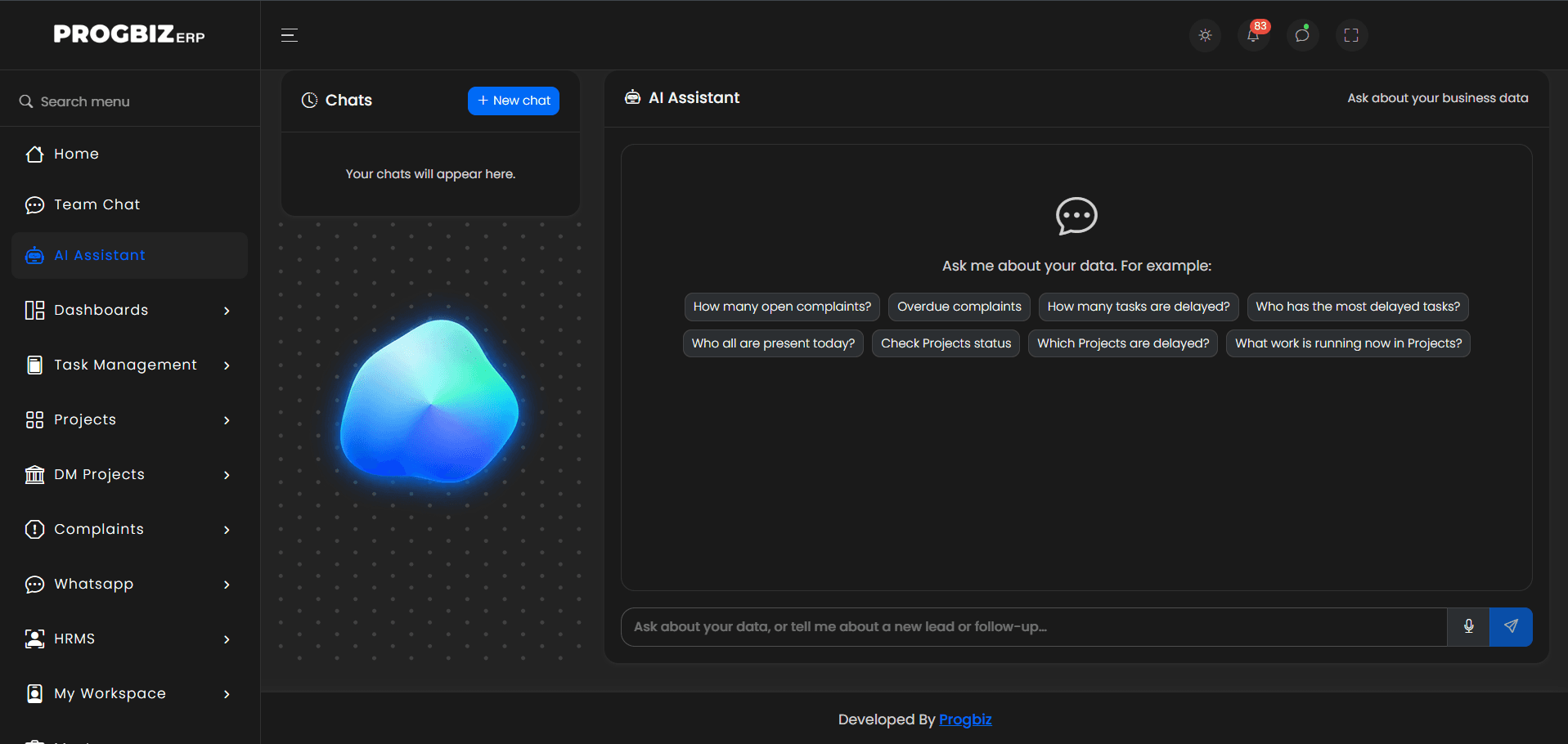
Progbiz ERP includes an AI Assistant that answers questions across tasks, attendance, sales, and accounts.
AI Data Assistant
Type or speak a question in everyday words, and ask a follow-up in the same chat.
You do not need to know report names or menus to get an answer.
Role-Aware
Managers get answers about their team. Staff get answers about their own work.
AI uses prepaid credits, so you pay only when you use it.
For Small Businesses
The best task management tools for a small business are quick to start, work on a phone, and grow with your team. Judge them on these four things.
Begin with instant and scheduled tasks for your team, and add templates and pools later.
Staff start, hold, and finish tasks from the Android and iOS app, with photos and notes.
Each Progbiz ERP module can be bought on its own, but all of them work as one system when you add them.
Each branch keeps its own holidays and weekly offs, which are skipped automatically when tasks are scheduled.
Connected Work
Progbiz Task Management shares one platform with the rest of Progbiz ERP, so work and records stay connected.
Leads in Progbiz CRM create follow-up tasks automatically, and managers can create tasks in bulk across a filtered list.
Every complaint runs on the task engine, so it has an owner, a clock, and a history.
Managers see who actually came in, right next to the work assigned to them.
A departing user's running work is reassigned, so nothing is left hanging.
How It Works
Progbiz Task Management follows each task through six steps, grouped into four stages.
A task is created by hand, from a lead, or from a complaint.
The task goes to a person or a team pool, and an alert goes out.
The staff member starts the task on the mobile app at the site.
The task ends with closing remarks, and the manager sees it on the dashboard.
On the Move
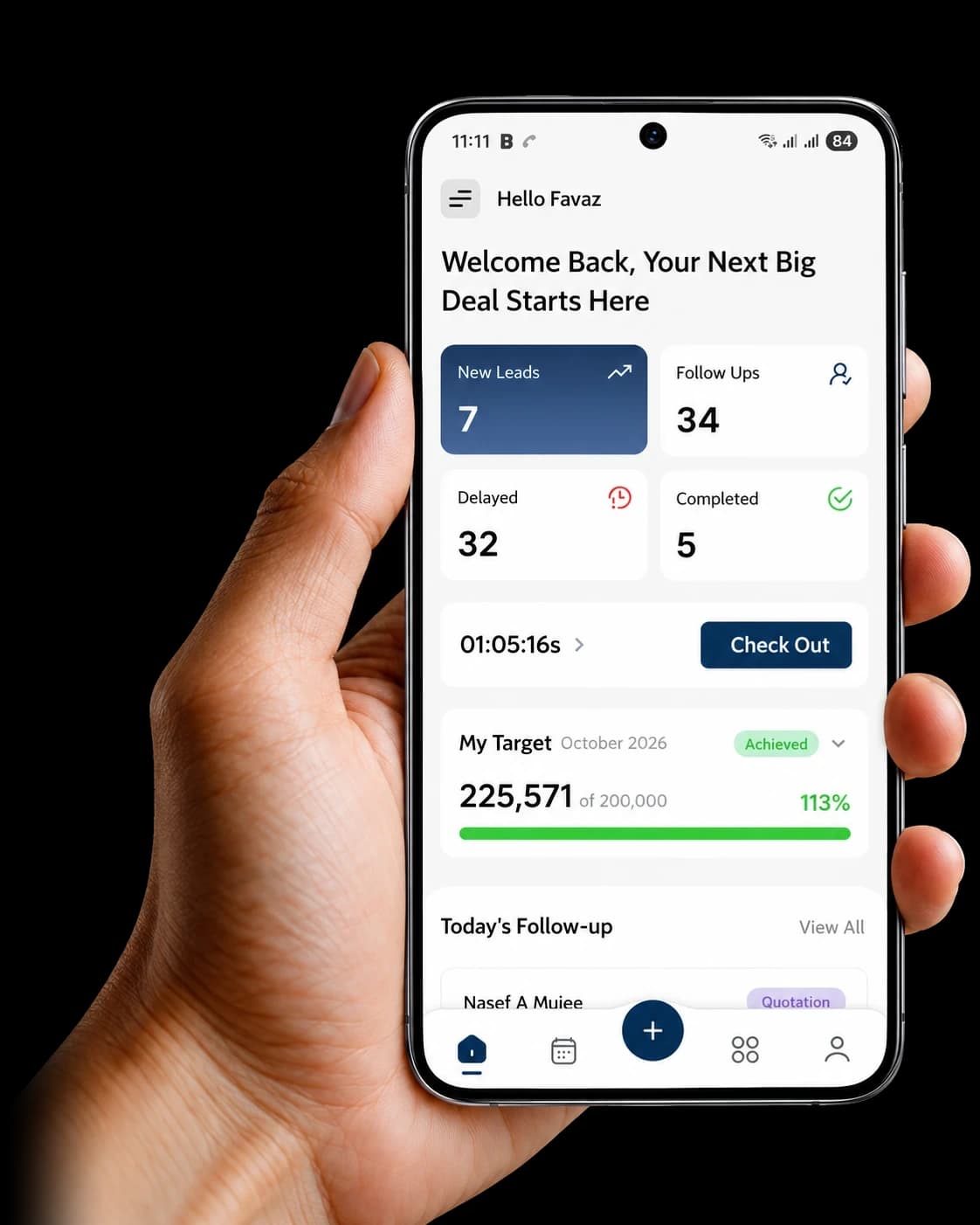
The Progbiz ERP mobile app keeps office and field staff connected wherever they work. It is available on the App Store and Google Play.
See the app work with your own team in a live demo.
Data Protection
Task records show who did what, where, and when, and Progbiz protects them at every level.
Your company's records are kept apart from every other business on Progbiz.
Add, edit, delete, and confirm rights are set per feature and checked on every page.
Staff see their own tasks, managers see their team, and owners see the branch.
You decide who can assign tasks to whom.
When someone leaves, their login is switched off, and their open work is reassigned.
The task timeline and user log show who changed what, and when.
Start, hold, and end times are recorded by the system, not typed in by staff.
Built by Progbiz Private Limited in Kannur, with files stored on Progbiz's own systems.
Getting Started
Setup time depends on how many branches, teams, and task types you have. Our team shares a clear plan after your demo.
Your branches, teams, users, and reporting lines are set up.
Standard checklists and recurring tasks are created, with an industry blueprint if you need one.
Complaint types, SLA times, escalation levels, and branch holidays are set to how you work.
Your team installs the app and learns the screens they will use every day.
Add more Progbiz ERP modules when you are ready:
Multi-Branch
Multi-branch task management means each location runs its own work calendar while managers see every branch together. In Progbiz Task Management, each branch has its own holidays and weekly offs, alerts fire at the branch's local time, and the dashboard filters by branch, team, user, and project. Owners see every branch's work on one screen.
Pricing
The price depends on how many users you have and which Progbiz ERP modules you choose. Some features come only with certain plans, so your account manager confirms exactly what is included before you sign up. Contact us for a quote.
Choosing Software
Ask three questions before you decide. Can you prove where and when fieldwork was done? Do leads and complaints become tasks without retyping? Can managers see every team's status without calling anyone? If you can tick all three, the software fits.
If you also want sales, HR, and accounts on the same records as your tasks, see how Progbiz ERP brings them together.
Mobile App
Progbiz Task Management is mobile-friendly, so you don’t need to be at your desk to keep work moving. With the app on Android or iPhone, managers can hand out tasks and see what’s done, and staff can update their work from wherever they are. Everyone sees the same task list, all the time. Staff start and end tasks on the app, and the GPS location is saved at both ends. Managers get alerts when work is late, so problems get fixed before a customer complains.
Comparison
There is no single best task management software for every business. Trello, Asana, and ClickUp are all well-known, and each suits a different kind of team. Here is a fair side-by-side, based on what each company lists on its own website, as of October 2026.
| What you need | Progbiz | Trello | Asana | ClickUp |
|---|---|---|---|---|
| GPS-stamped field tasks | GPS location and address stamped at task start and end | Not listed as a built-in feature | Not built in; a third-party Task Map app shows task locations | Not listed as a built-in feature |
| Complaint tickets with SLA | Built in, with SLA minutes and automatic escalation | Not listed as a built-in feature | Offered as a separate Asana Service Management product | Connects to Zendesk and Front for support tickets |
| Connected to CRM, accounts, and HR | CRM, accounts, and HR on one platform | Power-Ups connect to dozens of apps, including Jira and Confluence | Integrations include Salesforce, HubSpot, Xero, and Stripe | 1,000+ integrations, including HubSpot and Salesforce |
| WhatsApp alerts | Customers updated on WhatsApp or email when a complaint changes | Not listed as a built-in feature | Through a third-party WhatsApp app | SMS alerts through Twilio |
| Local support | Team in Kannur, Kerala | Atlassian support tickets, community, and partners | Help Center, support, and a partner network | 24/7 support |
Trello suits teams that want simple visual boards. Asana suits teams that run many cross-team projects. ClickUp suits teams that want one workspace connected to many outside apps. Progbiz suits businesses with field staff, service work, or many branches that want tasks, CRM, HR, and accounts on one platform, with a support team in Kerala.
The Advantage

Here's what our customers experienced.
Testimonials
Here's what our customers experienced.
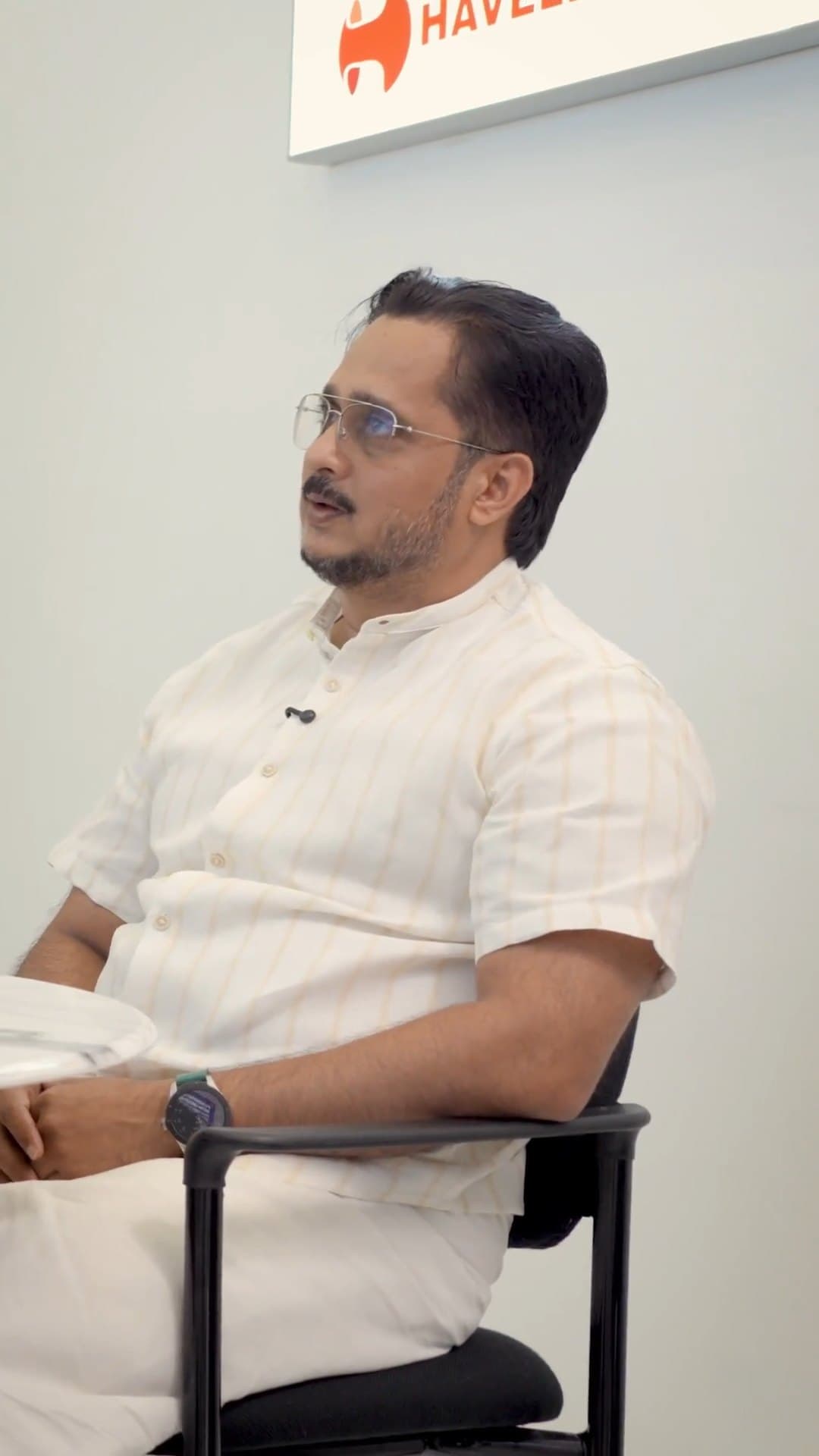
As an proffesional academy that also offers degree programmes, we get student enquiries every day from Instagram, our website, and WhatsApp. Before Progbiz ERP, many of these got lost between calls and spreadsheets. Now every enquiry lands in Progbiz CRM, our counsellors get reminders for each follow-up, and we can see exactly which courses and ads bring in real admissions. With the WhatsApp API, students get quick replies, course details, and batch updates without our team typing the same message again and again. Progbiz ERP keeps our admissions, fee collections, and receipts in one place, so our office and accounts team finally work from the same numbers. The Progbiz team understood how an education business runs and set everything up around our process, not the other way round. We’d happily recommend them to any institute that wants to stop losing students to slow follow-ups.
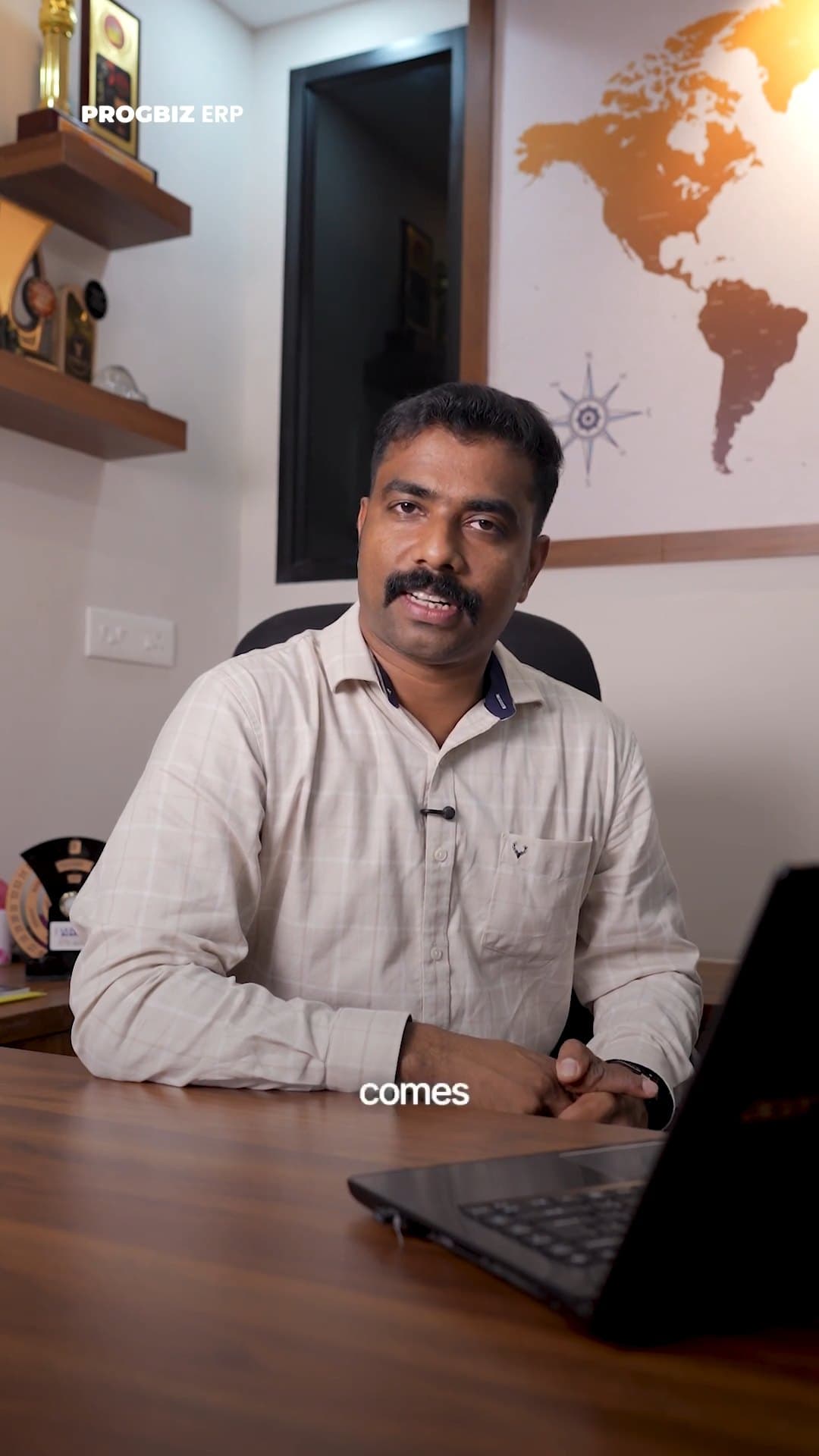
Progbiz CRM makes running our hardware business so much easier. It's the best CRM for hardware companies. Easy to use, keeps our inventory organized, and helps us manage customers better. Their team really gets what we need. We highly recommend it to any hardware business.
Progbiz did an outstanding job developing our Lesol Solar software! Their team was professional, responsive, and truly understood our needs for a user-friendly solar solution. The software’s clean design and powerful features have streamlined our operations and impressed our clients. They delivered on time, provided excellent support, and made the process seamless. Highly recommend Progbiz for any software development needs—top-notch quality and service!
FAQ
The best choice is one that is quick to start, works on a phone, and grows with your team. Progbiz Task Management starts with simple instant and scheduled tasks, and lets you add CRM, HR, and accounts later on the same platform.
Yes. When staff start and end a task on the mobile app, Progbiz stamps the GPS location and address at both ends. Managers with location access can also see field staff on a live map.
Progbiz is built for teams with field and service work. It stamps tasks with GPS, runs complaints with SLA clocks, and shares one platform with CRM, HR, and accounts. Trello and Asana focus on boards and projects, and connect to other tools through integrations.
Yes. Every complaint runs on the task engine, routed to the right team with an SLA clock. The customer is notified on WhatsApp or email when the complaint is registered and at every status change.
Yes. The Progbiz ERP app works on Android and iOS. Staff can start, hold, and end tasks with checklists, notes, and photos.
Yes. Tasks can repeat daily, weekly, monthly, or yearly within a date range, and staff get alerts for due-soon and overdue work.
Task Management is its own module of Progbiz ERP, and it can be bought on its own or alongside Progbiz CRM. When both are used, new leads create follow-up tasks automatically. Your account manager confirms what your plan includes.
Yes. Every start, hold, resume, and end is recorded with the time, so durations are measured by the system. On shared tasks, each person's time is tracked separately.
The cost depends on the modules and number of users you choose. Progbiz prices by module, and your account manager confirms what each plan includes. Contact us for a quote.
Progbiz Task Management is task management software in India built for teams with field staff, service work, or many branches. Book a demo to see your own team's work, from assignment to closure.